VM Task Manager Plugin
A project tracker for the Vans Visual Merchandising team, designed and coded inside the tool they already work in.
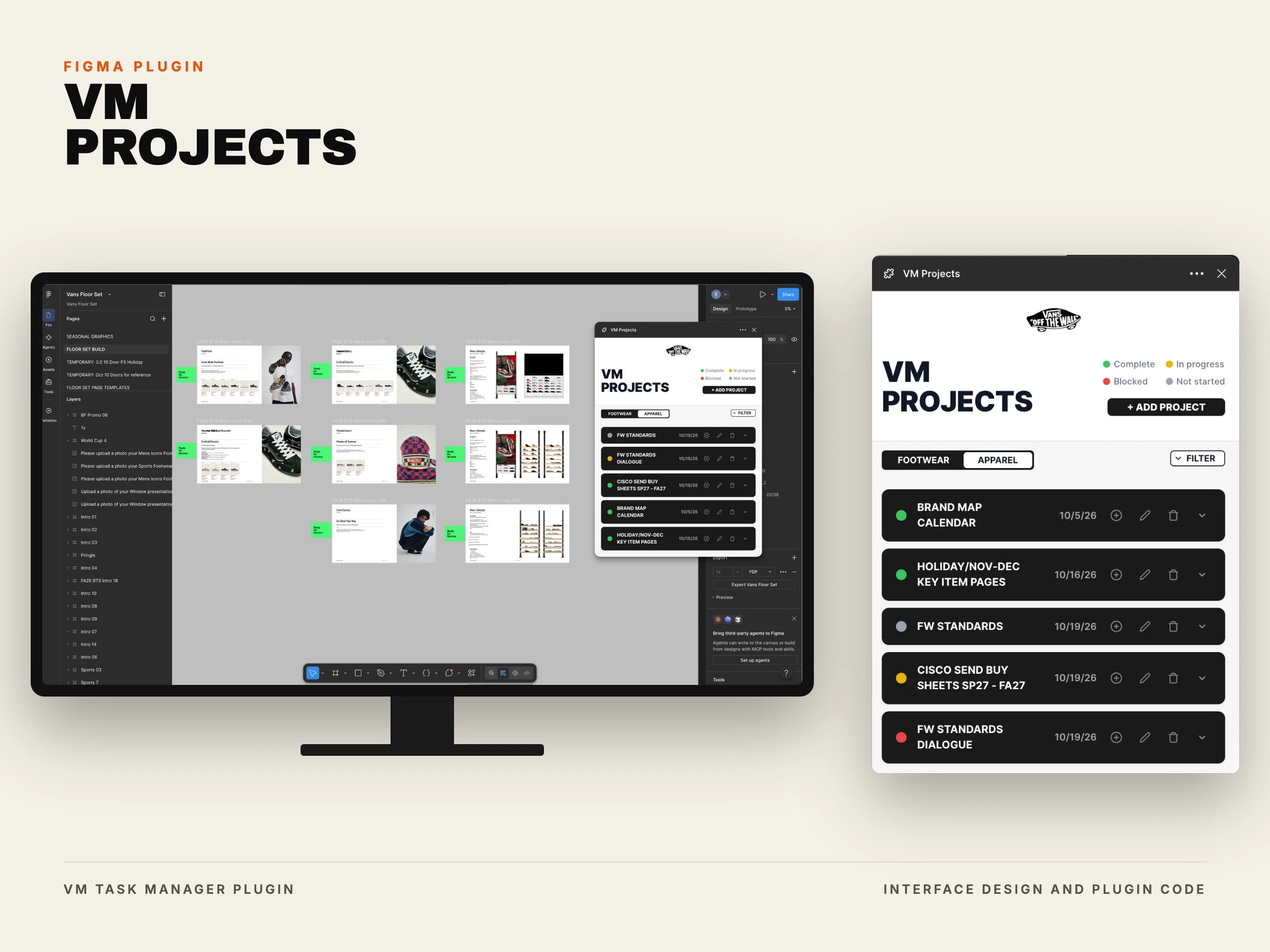
VM Projects is a Figma plugin that gives the Vans Visual Merchandising team a shared project board inside Figma. Projects and tasks, owners, statuses and due dates for both footwear and apparel, visible to everyone invited to the file and editable in place.
I designed the interface, wrote the code, and had it running across the team in nine days. It now anchors the team's weekly call.
9days
Design to daily use
6people
Across footwear and apparel
18frames
Drawn before any code
1file
Holds the whole board
The Visual Merchandising team had no set system for tracking seasonal work. Assignments, deadlines and status lived wherever they were last mentioned: in chat, on a call, or in somebody's memory.
The team already spends its day inside Figma building floor sets, so a tracker in a separate tool would have been one more place to check and one more place to forget. The right place for the system was the place the work already happened.
The whole interface existed in Figma before a line of code did. Eighteen frames covering the board, both forms, every focus state and every open menu, and a component library holding the pieces they are built from.
The type is the team's own brand voice rather than a default interface stack, so the tool reads as Vans instead of as somebody's side project. Underneath it the model is deliberately small: a project, the tasks it holds, and four statuses they share.
The Shape of the Data
Project
- Title
- Team
- Status
- Due date
- Description
Task
- Title
- Assignee
- Status
- Due date
- Notes
Four statuses, shared by projects and tasks
- Complete
- In Progress
- Not Started
- Blocked
The plugin saves its data to the Figma file itself. That one decision is what makes the board shared: anyone invited to the project opens the plugin and sees the same projects, tasks and statuses, and can edit them. No server, no accounts, no second login to forget.
It started in TypeScript and shipped as JavaScript. The types were useful while the shape of a project and a task was still moving, and once that settled the build stopped needing a compile step to stay honest.
The Board, Running
- Footwear and apparel are one toggle apart
- Status reads as colour before it reads as a word
- Owner and due date sit on the row itself
Creating a Project
- Title, team, status, date, description, nothing else
- Status is picked as a colour, not chosen from a list
- The form covers the board rather than replacing it
Assigning a Task
- The roster is the actual team, not a free text field
- A task carries one owner and one date
- It nests under the project it belongs to
Changing a Status
- One click, one colour change
- The gesture the weekly call actually runs on
Sorting the Board
- Sort projects by due date
- Sort projects by status
The Component Library
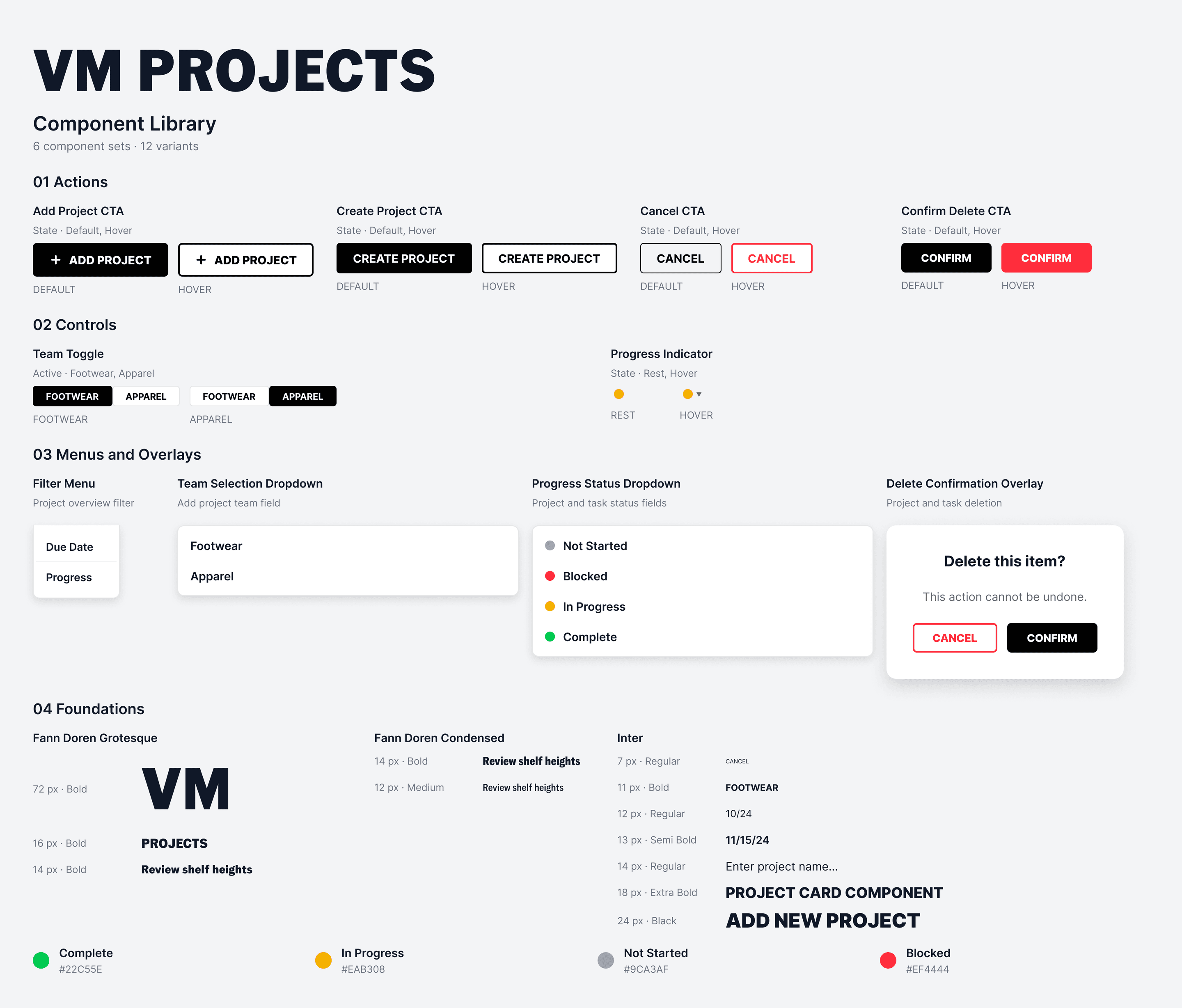
The handoff sheet: every component, every state, and the type and colour the interface is built from.
Working Under a Ceiling
Figma gives each file 100KB of plugin storage. A save past the ceiling is refused with a plain explanation, and the warning lands at 90 rather than at the wall.
The hard part was never the code. It was distribution. There was no private publishing to the organization available, so the plugin installs by manual import, machine by machine, and keeping the files where Figma expects to find them took real troubleshooting on each one.
Getting six people installed was its own project, running alongside the build. A tool nobody has imported is a tool nobody uses, and that stretch of the work looked nothing like design.
Six people across footwear and apparel use the board today. Its main stage is the team's weekly call, where the board effectively becomes the agenda: statuses get walked through, owners confirm dates, and new work is added live while everyone is looking at it.
It sits beside the floor set files it describes, in the same tool, in the same window.
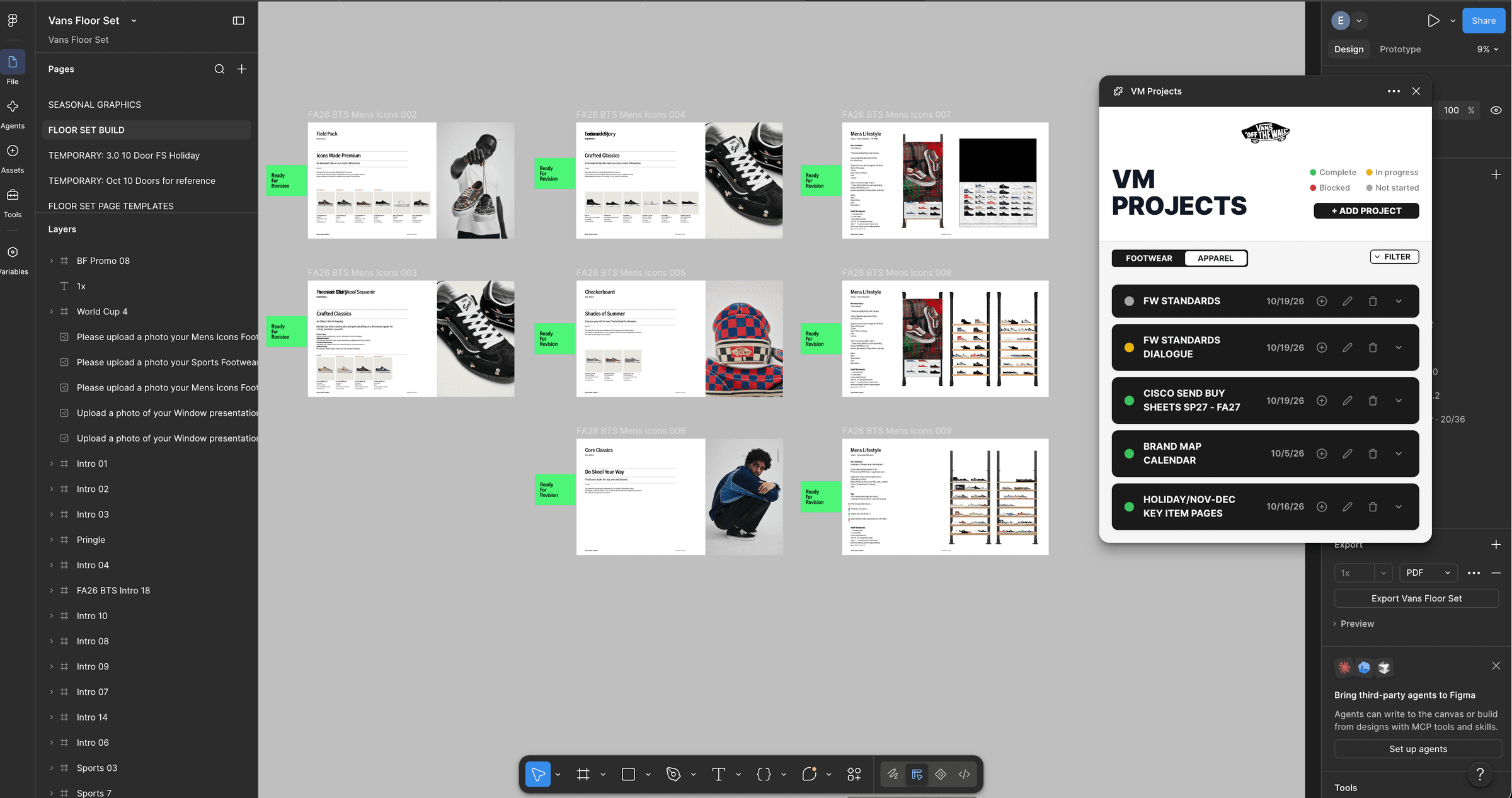
The board open beside the floor set file it tracks.
I would solve distribution before polish. Manual import worked for a team of six, but it was the slowest and least designed part of the project, and publishing privately to the organization is the obvious fix the moment the team grows.
I would also keep doing the thing that made nine days possible: designing every screen and every state before writing code, so that implementation was translation rather than invention.